

How to Sell on eBay for Beginners: From Thrift Find to First Listing
Selling on eBay feels intimidating until you break it into one repeatable workflow: identify the item, price it with real comps, write a searchable listing, photograph condition honestly, and ship without guessing. This beginner guide shows how to turn a thrift find, closet cleanout, or garage sale pickup into a cleaner first eBay listing.
5 min readBy PriceSnap Editorial TeamPublished
AI summary
This guide explains how beginners can sell on eBay by scanning and identifying an item, researching sold comps, writing a searchable listing, photographing condition, planning shipping, and using PriceSnap as the first step before listing.
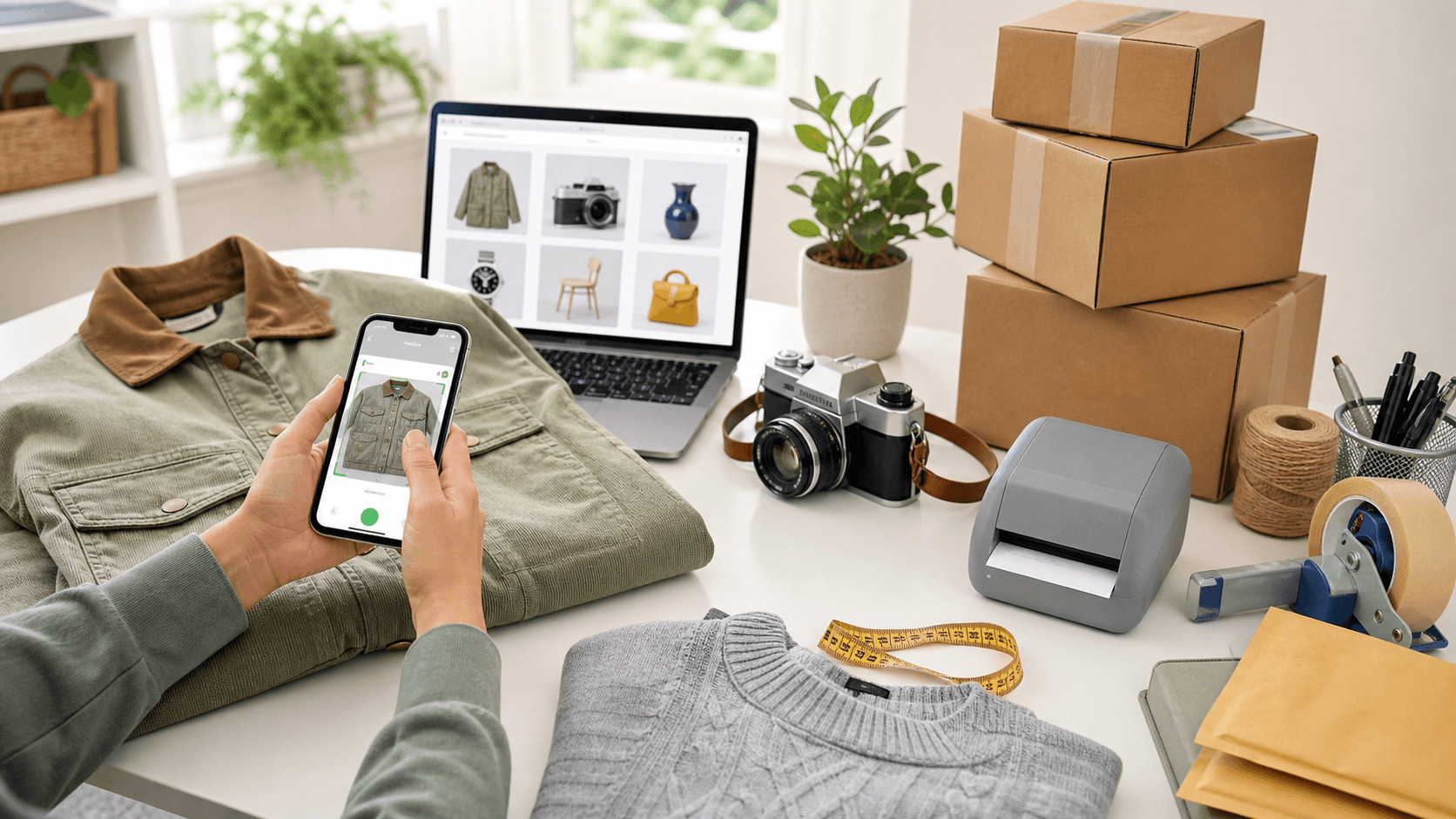
PriceSnap is a mobile app for iOS and Android.
Use the app while reading this guide to scan items, estimate resale value, check marketplace comp signals, and save finds to your collection.
Key takeaways
- A good first eBay listing starts with exact item identification, not a guessed category.
- Use sold comps and realistic condition matching before choosing a price.
- Searchable titles, item specifics, clear photos, and honest condition notes reduce buyer hesitation.
- PriceSnap helps new resellers scan an item, understand value, and move into an eBay listing workflow faster.
Try alongside this guide — scan straight from your camera roll.
The Beginner Mistake That Kills Sales
Most new sellers start by asking "what should I list this for?" The better first question is "what exactly is this?" A vague listing for an old jacket competes against thousands of equally vague listings and is found by nobody in particular. A specific listing for a vintage chore jacket, with material, size, measurements, colour, condition, and brand details, has a real chance of matching what somebody is actually searching for. Price is a decision you can only make well once identity is settled, because the comparable sales you need in order to price are themselves found by name. Getting this order wrong is the single most common reason a beginner's listings sit unsold at reasonable prices: the item was never findable in the first place, so the price was never the problem.
- Identity first, price second — comparables are found by name.
- A vague listing competes with thousands of other vague listings.
- An unsold listing at a fair price is usually a findability problem.
- Time spent identifying is repaid at every later step.
Scan and Identify the Item First
Use PriceSnap before you open the listing form. Take clear photographs of the full item, the labels, model numbers, maker's marks, size tags, serial numbers, accessories, and every visible flaw. The goal at this stage is to turn a mystery find into searchable listing data: brand, model, category, size, material, colour, condition, era, compatibility, and a directional resale range. That information becomes the backbone of your title, your item specifics, your description, and your price, which is why doing it first saves time rather than costing it. Treat what the scan returns as a starting identity to verify against the item in your hands. Where the two disagree, the labels win.
- Photograph the whole item, then every label and mark separately.
- Capture flaws individually — they are needed for the description anyway.
- Record brand, model, size, material, colour, condition, era, compatibility.
- Verify the scan's identity against the physical labels before listing.
Research Sold Comps Before You Price
Do not anchor on the highest active listing you can find, because an active listing is a price nobody has agreed to pay. Search recent completed sales matching the same item, condition, size, completeness, and shipping arrangement. If three similar jackets sold within a narrow range, that is far stronger evidence than one unsold listing at double the price — and the unsold listing is arguably evidence against that price rather than for it. PriceSnap gives you a fast starting point; completed-sale thinking then protects you from both underpricing and wishful overpricing. Price from the middle of a tight cluster rather than its top, and if the cluster is wide, work out what is driving the spread before assuming you will land at the favourable end of it.
Read next:Sold listings vs asking prices
Write the Listing Buyers Are Searching For
An eBay listing needs searchable language. Put the most important terms in the title — brand or maker, item type, model or style, size, colour, material, condition, and key compatibility details — then use item specifics to reinforce those same facts in structured form. Buyers routinely filter by size, colour, condition, brand, category, and format, so leaving those fields blank hides a good item from precisely the person who wanted it. This is worth stating plainly because it is invisible when it happens: you never find out about the buyer who filtered your listing away. Fill every specific you can answer accurately. Then write a description that answers the questions a careful buyer would ask, with measurements, named flaws, and a clear statement of what is included.
Read next:eBay SEO keywords
Photograph Trust, Not Just the Object
Buyers cannot hold your item, so the photographs have to do that work for them. Show the front, back, sides, label, size tag, model plate, accessories, measurements, and every flaw. For shoes, show the soles and heel wear. For electronics, show the device powered on and the ports. For collectibles, show packaging corners and serial or edition details where it is safe to display them. Shoot in daylight against a plain background, keep the item in focus, and photograph flaws deliberately rather than hoping a wide shot covers them. Honest photographs prevent returns, because a buyer who saw the scuff before buying does not open a case about it. They also make a listing look considered rather than careless, which matters more at higher prices than most beginners expect.
| Category | Shots that matter most |
|---|---|
| Clothing | Flat measurements, brand tag, care label, every flaw |
| Shoes | Soles, heel wear, insoles, size tag, box label |
| Electronics | Powered on, all ports, model label, included accessories |
| Collectibles | Front, back, packaging corners, edition or serial detail |
| Jewellery | Hallmark under magnification, clasp, any stone setting |
Set Shipping and Fees Before You Publish
A listing is not profitable until shipping, supplies, platform fees, any promoted-listing choices, returns, and possible discounts have all been counted. Weigh the packed item, measure the box, and think honestly about whether the item is fragile, bulky, or return-prone before you set a shipping price. eBay fees vary by category, format, store status, and optional upgrades, which means the only reliable figure is the one you work out for your own situation rather than a percentage you half-remember. Beginners should avoid thin-margin flips until they understand their real net, because a thin margin has no room to absorb the first mistake — and there is always a first mistake. Start with items where you would still be roughly fine if the shipping cost more than you expected.
Read next:Resale profit calculatorBest reselling platforms and fees
Pack and Dispatch Like It Matters
The part of selling that beginners treat as an afterthought is the part buyers experience most directly. Pack so the item cannot move: void fill around it, nothing rigid pressing against a fragile face, and any loose accessory secured separately so it cannot strike the main item in transit. Use a box appropriate to the contents rather than whatever is nearest. Dispatch within your stated handling time every time, because late dispatch is one of the few things that damages your account standing directly rather than through buyer complaints. Upload tracking. Include a brief note or a tidy presentation if you like, but never at the expense of protection. A parcel that arrives intact and on time is what produces the feedback that makes the next sale easier.
- Immobilise the item; movement in transit is what causes damage.
- Secure loose accessories separately from the main item.
- Use a box sized for the contents, not the one you happen to have.
- Dispatch within your stated handling time, without exception.
- Always upload tracking.
Make PriceSnap Your eBay Starting Point
The easiest beginner workflow is not list first and research later — it is scan, understand, then list. PriceSnap helps you start with item identification and a directional resale range, which makes every subsequent step of the eBay process more concrete: you have a name to put in the title, attributes to fill the specifics, and a range to sanity-check your price against. New sellers benefit most from having a fast second opinion before they write a title, choose a price, and decide whether an item is worth listing at all — because deciding not to list something is often the most profitable decision of the day, and it is much easier to make with evidence than without.
Read next:How PriceSnap estimates resale valueScan before you buy
Related categories
FAQ
How to Sell on eBay for Beginners: From Thrift Find to First Listing — FAQ
Straight answers about accuracy, platforms, and how PriceSnap fits your workflow.
How do beginners start selling on eBay?
Start with one item you can identify clearly, scan it with PriceSnap or research sold comps, photograph it honestly, write a searchable title, set shipping details, and publish only after the profit math still works.
What should I sell first on eBay?
Begin with items that are easy to photograph, easy to ship, and easy to compare against sold listings, such as branded clothing, small electronics, collectibles, shoes, books, toys, and household items with model numbers.
Should I use sold prices or active listings for eBay pricing?
Use recent sold prices whenever possible. Active listings show what sellers hope to get; sold listings show what buyers already paid.
Can PriceSnap help me create an eBay listing?
PriceSnap helps with the starting work: scanning the item, identifying value signals, estimating resale value, and giving you the confidence to write a better eBay listing.